

What Cause Your CNC Drilled Holes Failing Quality Inspections?
You finish a large production run, but the quality inspector rejects the batch. The holes are oval, rough, or slightly misplaced. You lose valuable time and money trying to guess the root cause.
Common causes of failed holes include, but are not limited to: initial drill walking, spindle runout (leading to ovality), excessive exit burrs, and internal chatter marks. You can solve these by stabilizing the initial contact, minimizing runout to below 0.02mm, and optimizing feeds and speeds for the specific material.
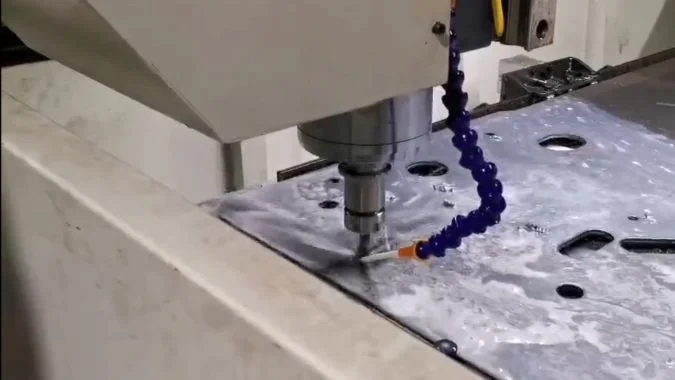
Some Operators often blame the G-code or the machine controller, but the drilling cycle—whether it is G81 or G73—only follows the path it is given. The real issues are almost always mechanical or related to the setup. Let me explain the physical reasons why your drilling operations fail and how I fix them to ensure every part passes inspection.
Why Is Drill Walk Occurring at the Start of the Cycle?
You watch the drill approach the part. It touches the surface and slides sideways before it actually bites into the metal. Now your hole is off-center, and the part is ruined.
Drill walk happens when the tool tip skids on the workpiece surface due to a missing pilot hole, geometric defects in the drill tip, or poor clamping. Using a spot drill or a high-quality split-point carbide drill ensures the tool centers itself immediately, preventing initial deflection.
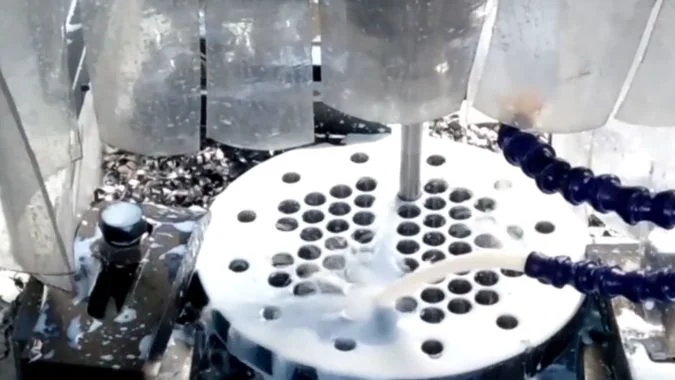
Drill offset at the start of a cycle is rarely a program error. It is a stability issue. When a standard drill, especially one with a 118° point angle, touches a smooth or hard surface, it struggles to find purchase. The chisel edge—the very tip of the drill—does not cut; it extrudes. If you do not use a center drill or spot drill1 to create a guide, the rotating forces will push the drill sideways across the material. This "skidding" continues until the drill digs in, resulting in a hole that is significantly offset from the programmed coordinates.
This problem gets worse if your tool has geometric defects. If the two main cutting edges are not exactly equal in length or height, the cutting forces become unbalanced. The drill effectively pushes itself away from the stronger side.
To fix this, I always recommend a "trial drill2" at a low feed rate if you are unsure. However, the best solution is mechanical: use a spot drill to create a precise center hole. If you cannot spot drill, use a high-rigidity solid carbide drill with a split-point geometry, which is self-centering. Also, check your workpiece clamping. If the part vibrates or shifts even slightly upon contact, the drill will walk.
| Root Cause | Mechanism | Practical Solution |
|---|---|---|
| Missing Pilot | Drill tip slides on smooth surface | Always use a Center/Spot Drill first |
| Tool Geometry | Uneven edges create side force | Inspect drill symmetry; use split-point |
| Machine/Setup | Vibration allows movement | Secure clamping; Check spindle rigidity |
| Material | Hard spots deflect the tip | Reduce entry feed; use stiffer carbide tools |
How Does Spindle Runout Affect Hole Roundness and Size?
You measure the hole diameter with a pin gauge. It fits in one direction but not the other because the hole is shaped like an egg or a triangle.
Spindle runout causes the drill to orbit rather than spin true, creating oversized, lobed, or elliptical holes. Runout exceeding 0.02mm forces the cutting center to deviate from the theoretical center, resulting in poor dimensional accuracy and uneven tool wear.
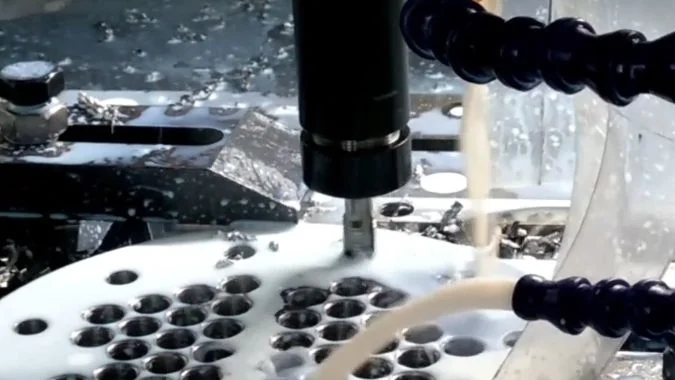
Spindle runout is the primary enemy of hole roundness. In an ideal world, your drill rotates perfectly on its axis. In reality, worn bearings or loose chucks cause radial runout3. When this happens, the drill does not just spin; it orbits. It acts more like a boring bar than a drill, cutting a hole that is effectively larger than the drill diameter.
This process destroys roundness. Because the tool is wobbling, the cutting path deviates from a perfect circle. You end up with holes that are elliptical, polygonal, or "lobed" (often triangular).
The impact extends to tolerances4. You might find that the hole diameter changes at different depths or is inconsistent between parts. If your radial runout exceeds 0.02mm, it is almost impossible to hold tight tolerances.
Runout also damages your tools. It forces one side of the drill to do more work, leading to uneven wear on the margins. This creates vibration, which further degrades the surface finish. I always verify runout with a dial indicator. If it is high, switch to high-precision hydraulic or shrink-fit chucks to stabilize the tool.
| Issue | Cause | Consequence |
|---|---|---|
| Oversized Holes | Tool "orbiting" due to runout | Actual cut diameter > Drill diameter |
| Poor Roundness | Periodic radial displacement | Elliptical or lobed (triangular) holes |
| Uneven Wear | One lip cuts more material | Reduced tool life and increased vibration |
Why Are Burr Formations Excessive on Exit Holes?
The hole looks perfect on the top surface. But when you flip the part over, you see a jagged metal cap or "crown" hanging off the bottom that requires manual deburring.
Excessive exit burrs occur because the drill pushes the material out instead of cutting it as it breaks through. This is caused by dull tools, aggressive feed rates at the exit, or lack of support. Sharp tools and reduced exit feeds prevent this plastic deformation.
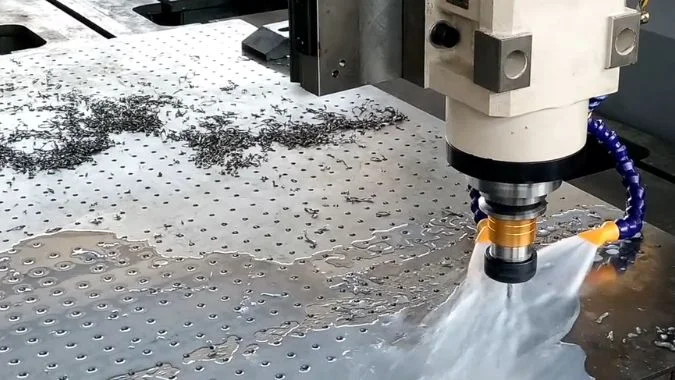
Exit burrs are almost always more severe than entrance burrs. This is due to the mechanics of the breakthrough. As the drill reaches the bottom of the workpiece, the remaining material becomes very thin. It loses its structural strength. If your cutting parameters are too aggressive, the drill stops "shearing" the metal and starts "extruding" or pushing it. The material tears and plastically deforms, creating a large burr or a "cap" that hangs onto the exit.
This is particularly common in ductile materials5 like aluminum alloys or stainless steel, where the metal stretches before it breaks. It also happens when tools are dull. A worn cutting edge increases the axial force required to penetrate, which acts like a punch rather than a blade.
To eliminate this, I focus on the "exit strategy." First, ensure your tool geometry matches the material—standard points might not be sharp enough. Second, reduce your feed rate by about 50% just as the drill is about to break through. This lowers the cutting force and allows the edge to slice the final layer cleanly. For critical parts, placing a sacrificial backing plate under the workpiece provides support and practically eliminates exit burrs6.
| Factor | Cause of Burr | Solution |
|---|---|---|
| Cutting Action | Pushing/Extruding vs Shearing | Use sharp tools with positive geometry |
| Feed Rate | High axial force bursts through | Reduce feed by 50% at hole exit |
| Material Support | Thin material deforms easily | Use a sacrificial backing plate |
| Tool Wear | Dull edges act like a punch | Regularly inspect and replace drills |
How Can You Eliminate Chatter Marks Inside the Drilled Hole?
You look inside the hole with a flashlight and see rough, spiral lines or a pattern that looks like a vinyl record. The drill likely made a hammering sound during the cut.
Chatter marks result from self-excited vibrations caused by long tool overhangs, insufficient rigidity, or poor chip evacuation. You can eliminate these marks by shortening the drill, avoiding resonant spindle speeds, and using peck drilling cycles to clear chips and cool the cutting zone.
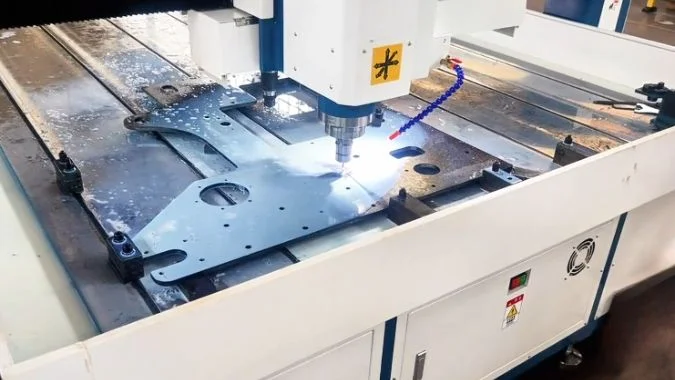
Chatter is a visible sign of instability. Inside a drilled hole, it usually manifests as vibration patterns or rough surface spirals. The most common culprit is tool overhang7. The further a drill extends from the holder, the less rigid it becomes. It acts like a tuning fork. When the cutting forces fluctuate, the drill vibrates, digging into the hole wall and creating those ugly marks.
Another major cause is chip clogging8. If chips cannot evacuate, they pack into the flutes and rub against the hole wall, creating friction and vibration.
To solve this, start by shortening the drill overhang. Use the shortest tool possible for the depth. If you are drilling deep, use high-rigidity tool holders.
Next, look at your parameters. Chatter often happens in a specific "resonance zone." Simply changing the spindle speed—either up or down—can stop the vibration instantly. Finally, use a peck drilling cycle (like G83). This breaks the chips and pulls them out of the hole, while also allowing coolant to reach the tip. This lubrication reduces friction and thermal deformation, leaving you with a smooth, clean hole surface.
| Strategy | Action | Benefit |
|---|---|---|
| Increase Rigidity | Shorten drill overhang | Reduces deflection and "tuning fork" effect |
| Break Resonance | Adjust Spindle RPM | Moves operation out of vibration zone |
| Clear Chips | Use Peck Drilling (G83) | Prevents clogging and rubbing on walls |
| Enhance Cooling | High-pressure internal coolant | Lubricates friction and flushes chips |
Conclusion
You can solve drilling failures by stabilizing the start to prevent walking, minimizing runout to ensure roundness, managing exit speeds to stop burrs, and increasing rigidity to eliminate chatter.
-
Exploring this link will help you understand how spot drills enhance precision and prevent offset issues in drilling. ↩
-
Learn about the benefits of using a trial drill to ensure accuracy and stability before the final drilling operation. ↩
-
Understanding radial runout is crucial for improving machining accuracy and tool longevity. Explore this link for in-depth insights. ↩
-
Tolerances are vital in manufacturing. Learn how they impact quality and precision in machining by visiting this resource. ↩
-
Learn about ductile materials to enhance your machining processes. This resource provides valuable insights into their behavior and handling. ↩
-
Understanding exit burrs is crucial for improving machining quality. Explore this link for effective strategies to minimize them. ↩
-
Understanding tool overhang is crucial for improving drilling performance and reducing chatter, making this resource invaluable. ↩
-
Exploring chip clogging solutions can enhance drilling efficiency and prevent damage, providing essential insights for better practices. ↩

Chris Lu
Leveraging over a decade of hands-on experience in the machine tool industry, particularly with CNC machines, I'm here to help. Whether you have questions sparked by this post, need guidance on selecting the right equipment (CNC or conventional), are exploring custom machine solutions, or are ready to discuss a purchase, don't hesitate to CONTACT Me. Let's find the perfect machine tool for your needs.